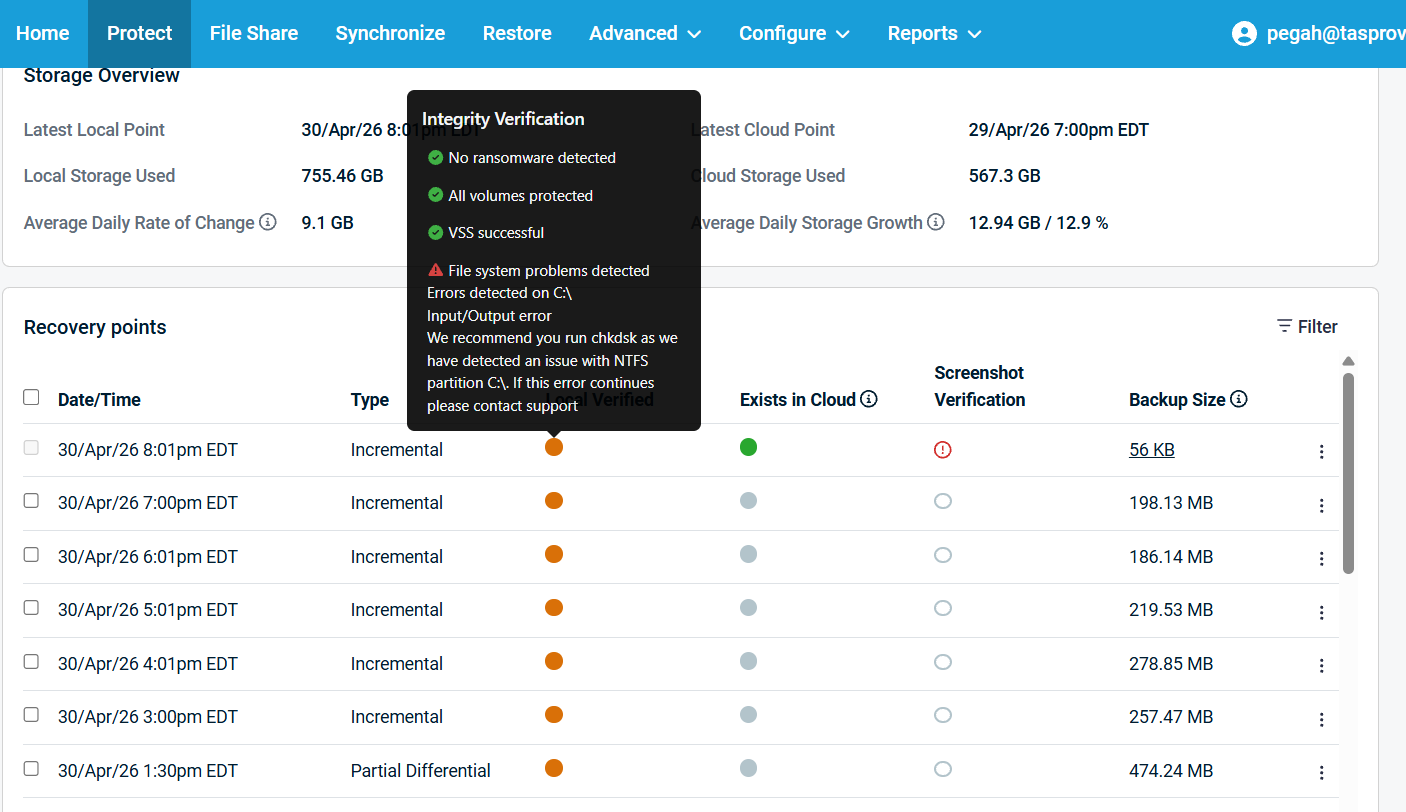
Input Output Error On C(I/O Error) on C Drive


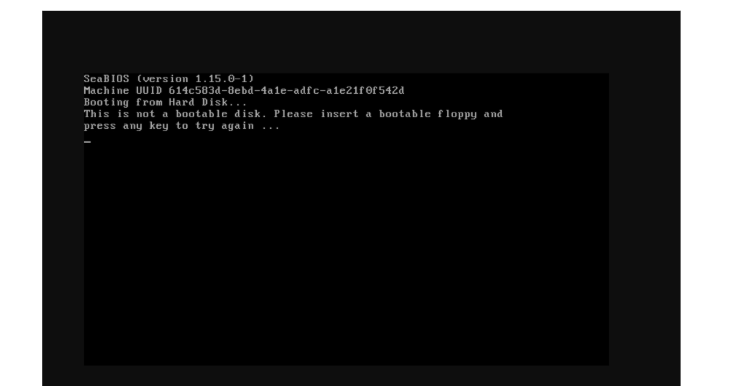
screenshots are now failing referencing a SeaBIOS screen. Additionally, the Datto device is reporting I/O errors on the C:\ volume.
 
At your earliest convenience, set aside a maintenance window to pull this agent out of production and run the command below from an elevated command prompt:

chkdsk /r 


Ensure you run it at least TWICE to make sure it corrects all errors. Once the 5-stage chkdsk has been run twice, force a Differential Merge on the next backup and confirm if local verification no longer fails.
 

  • 0 A felhasználók hasznosnak találták ezt
Hasznosnak találta ezt a választ?

Kapcsolódó cikkek

Backup Verification Failure (boot error)

Connect to the server and run the following commands: sfc /scannow Dism /Online /Cleanup-Image...

Robocopy command

 robocopy [source] [destination] /mir /Z /W:5 /fft /R:3 /secfix /copyall exp: robocopy F: D:...

Streaming and Processing On cloud

To start, run the following commands on the machine itself. Once each of these commands is...

Replacing RAM on Alto5

Power off and unplug the device. Remove the two screws covered by the two rubber feet on...

Critical backup failure during data transfer (Agent Export error occurred mid transfer)

Run the below commands:(As an administrator: vssadmin Add ShadowStorage /For=C: /On=C:...