
-
Power off and unplug the device.
-
Remove the two screws covered by the two rubber feet on the bottom of the device. There is an 'S' engraved by the correct feet.
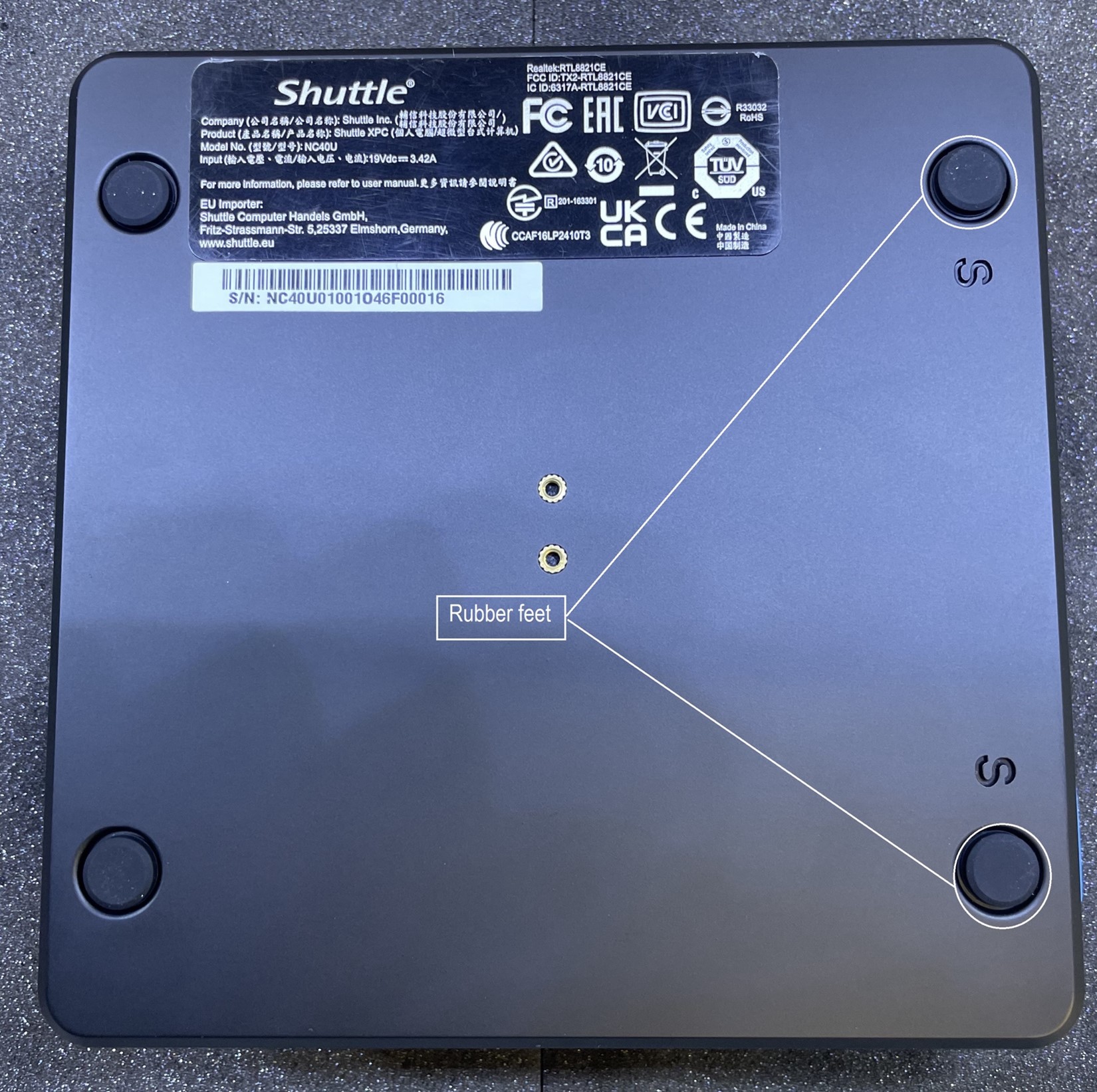
-
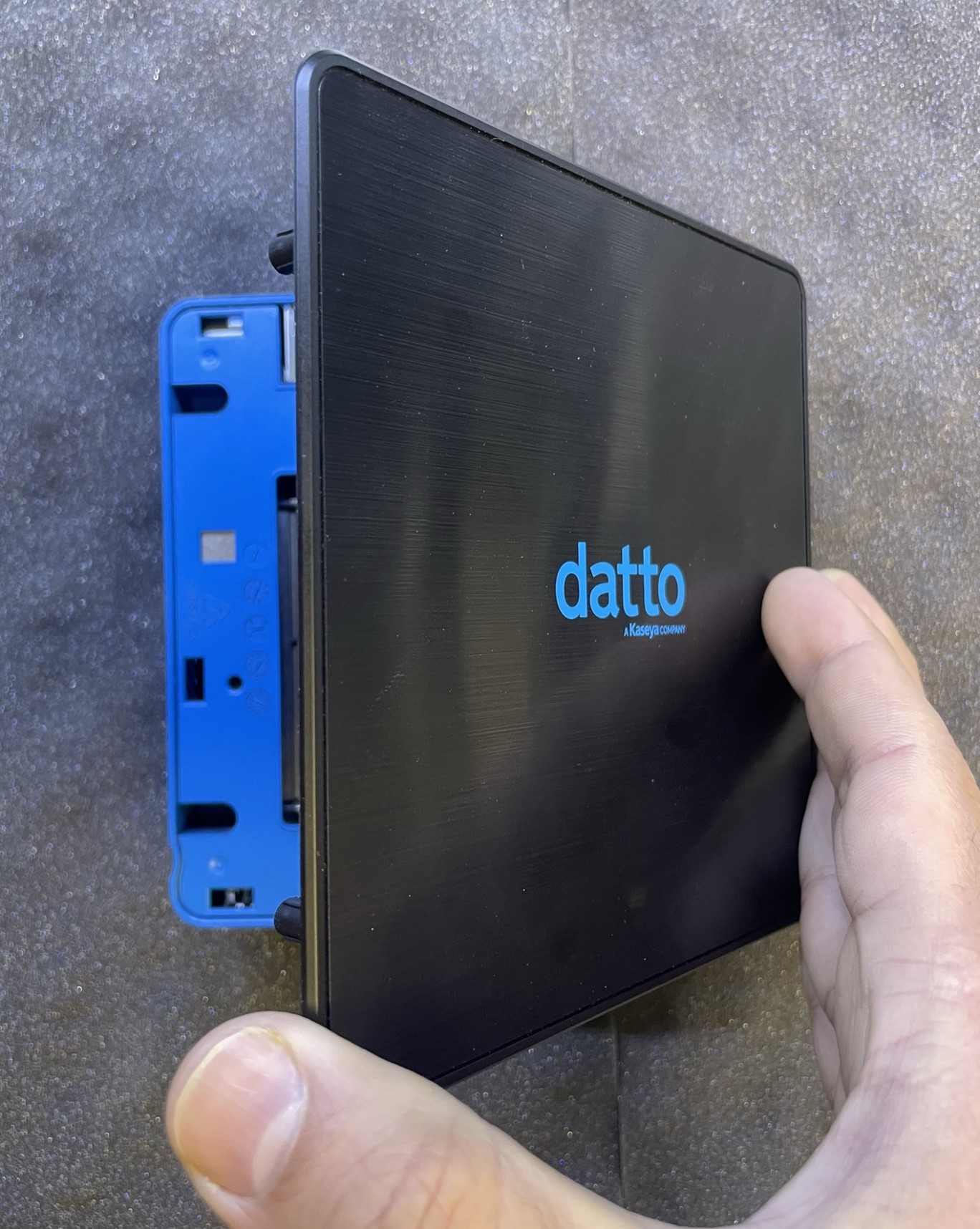
Flip the chassis over, then lift the top plate up from the left side to remove it (this will be the side the screws were located on).
-
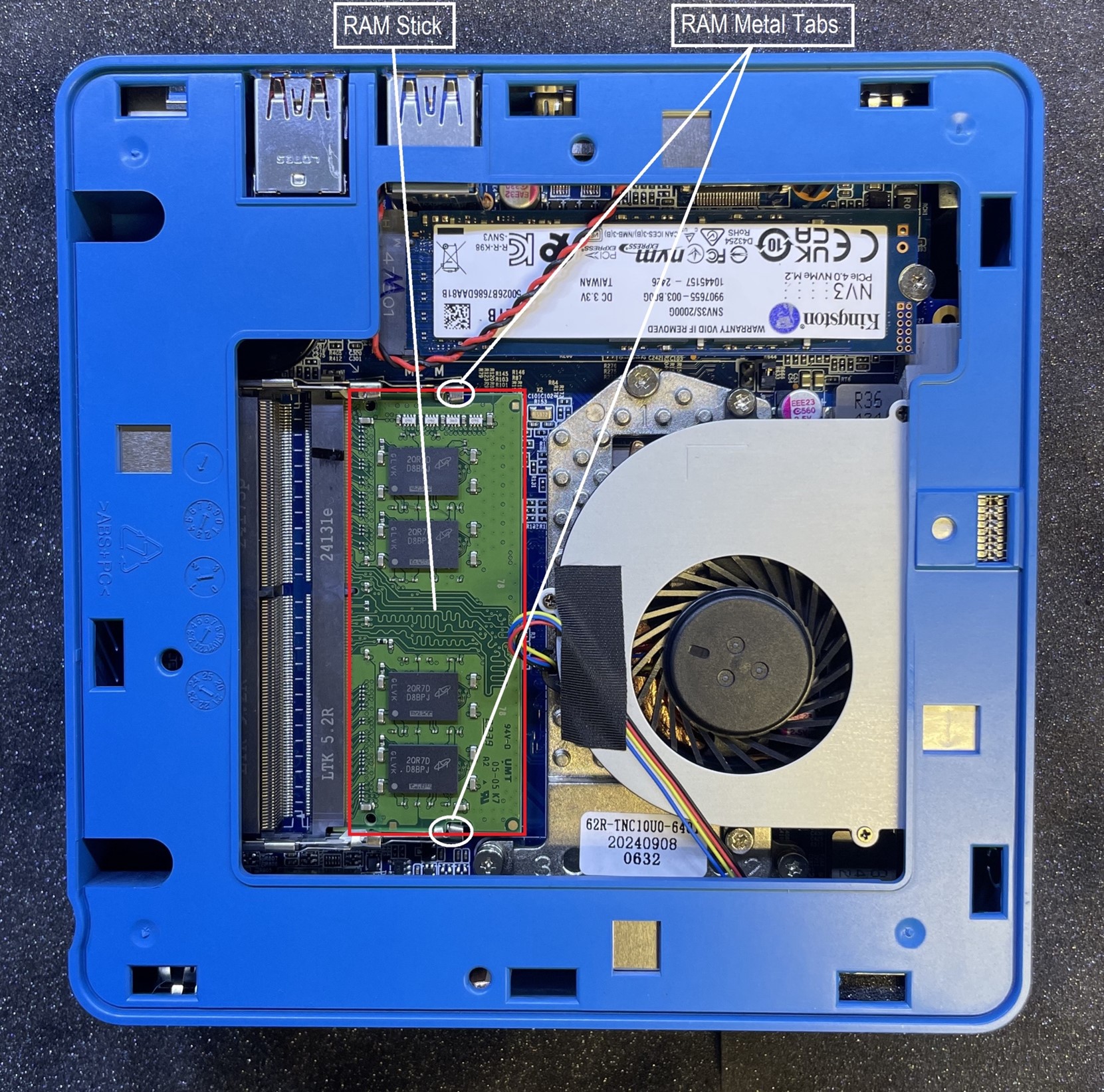
Push the metal tabs out of the way.
-
Remove the RAM stick out of the SODIMM socket.
-
Place the top plate, with proper orientation, back onto chassis.
-
Re-Install the bottom plate, back onto the chassis and secure it with the two screws.
-
Plug in and power on the device.
