
Replacing RAM on Alto5

  1. Power off and unplug the device.

  2. Remove the two screws covered by the two rubber feet on the bottom of the device. There is an 'S' engraved by the correct feet.
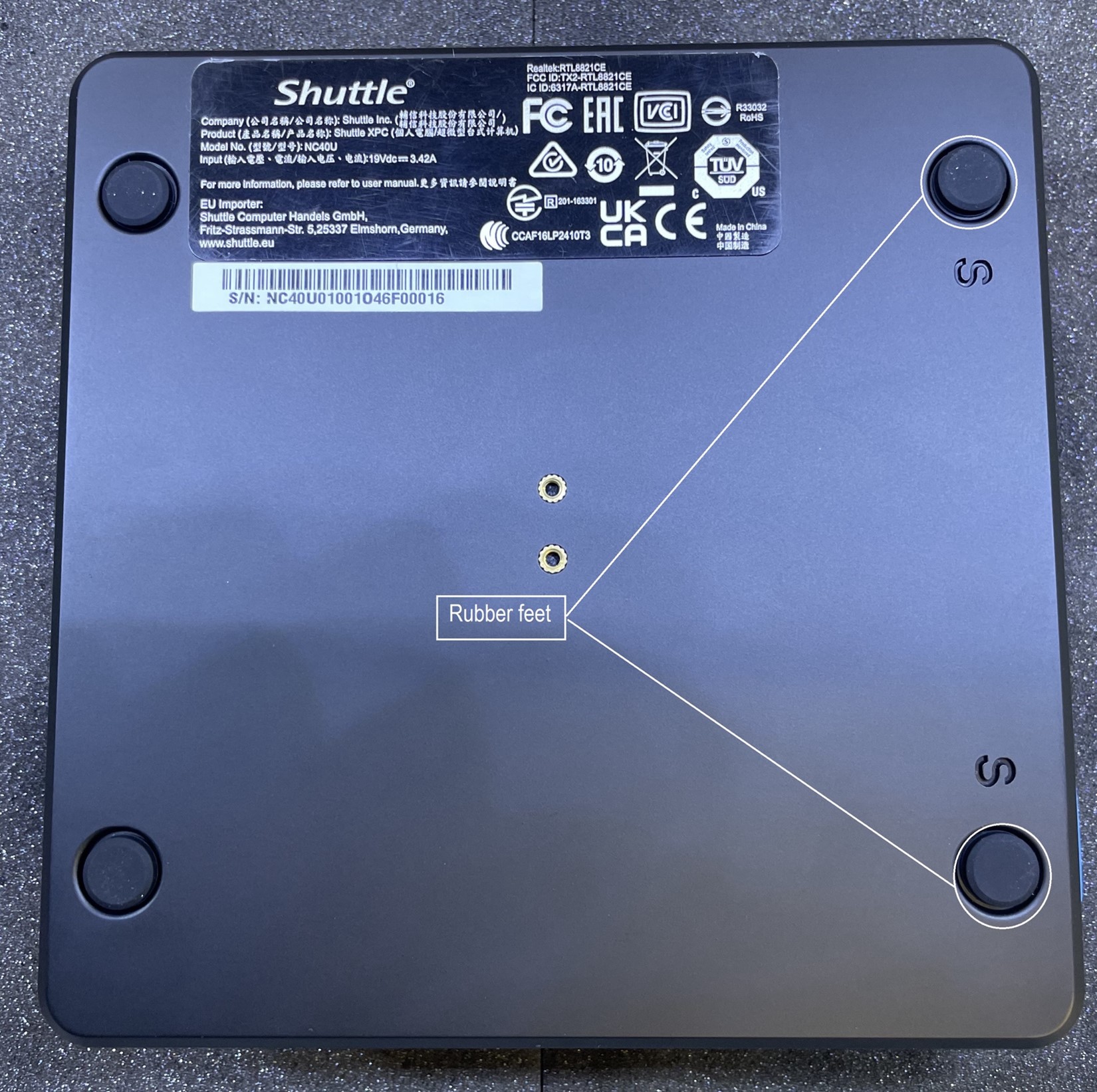
    OS1.jpg

  3. Flip the chassis over, then lift the top plate up from the left side to remove it (this will be the side the screws were located on).
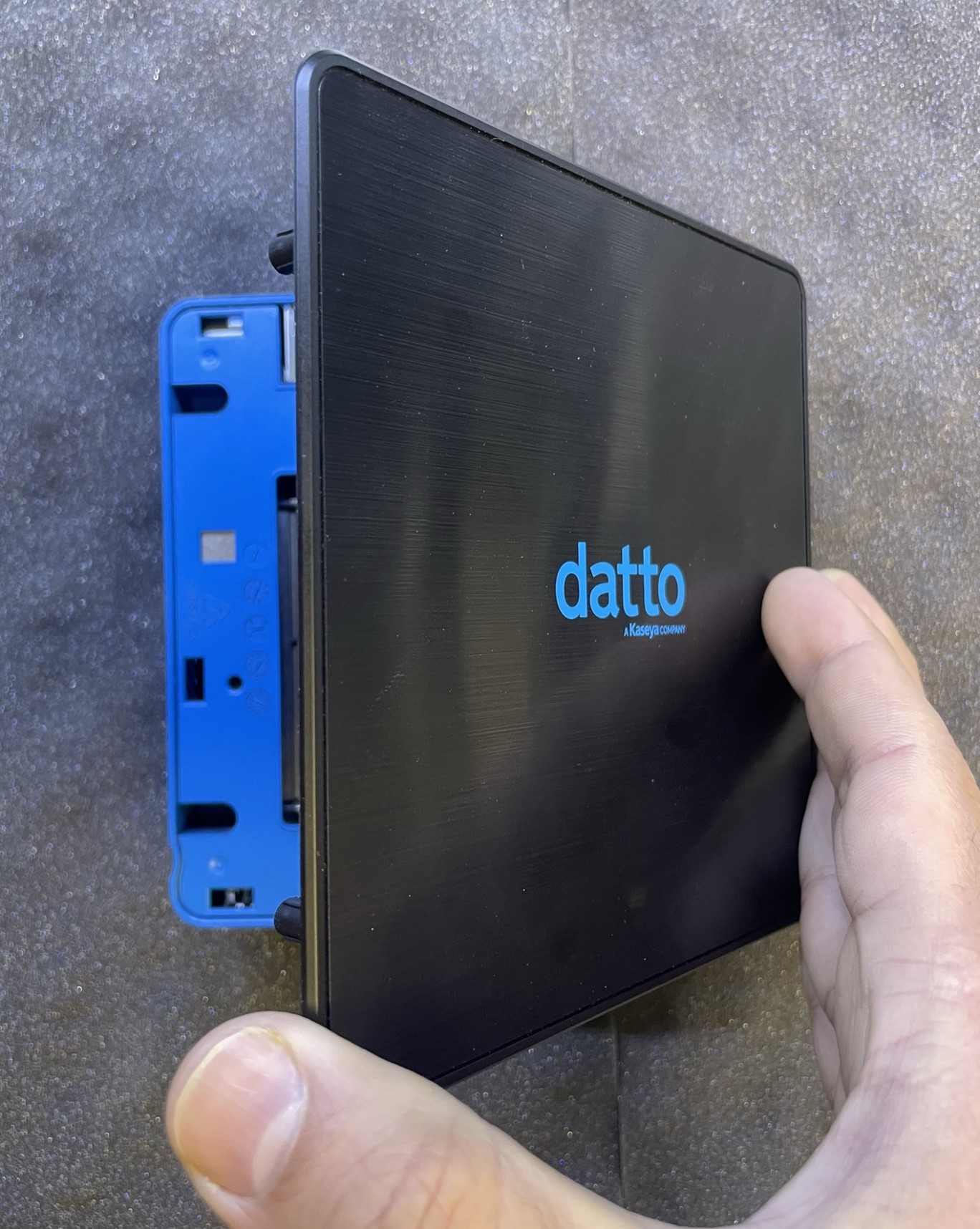
    Array2.jpg

  4. Push the metal tabs out of the way.

  5. Remove the RAM stick out of the SODIMM socket.
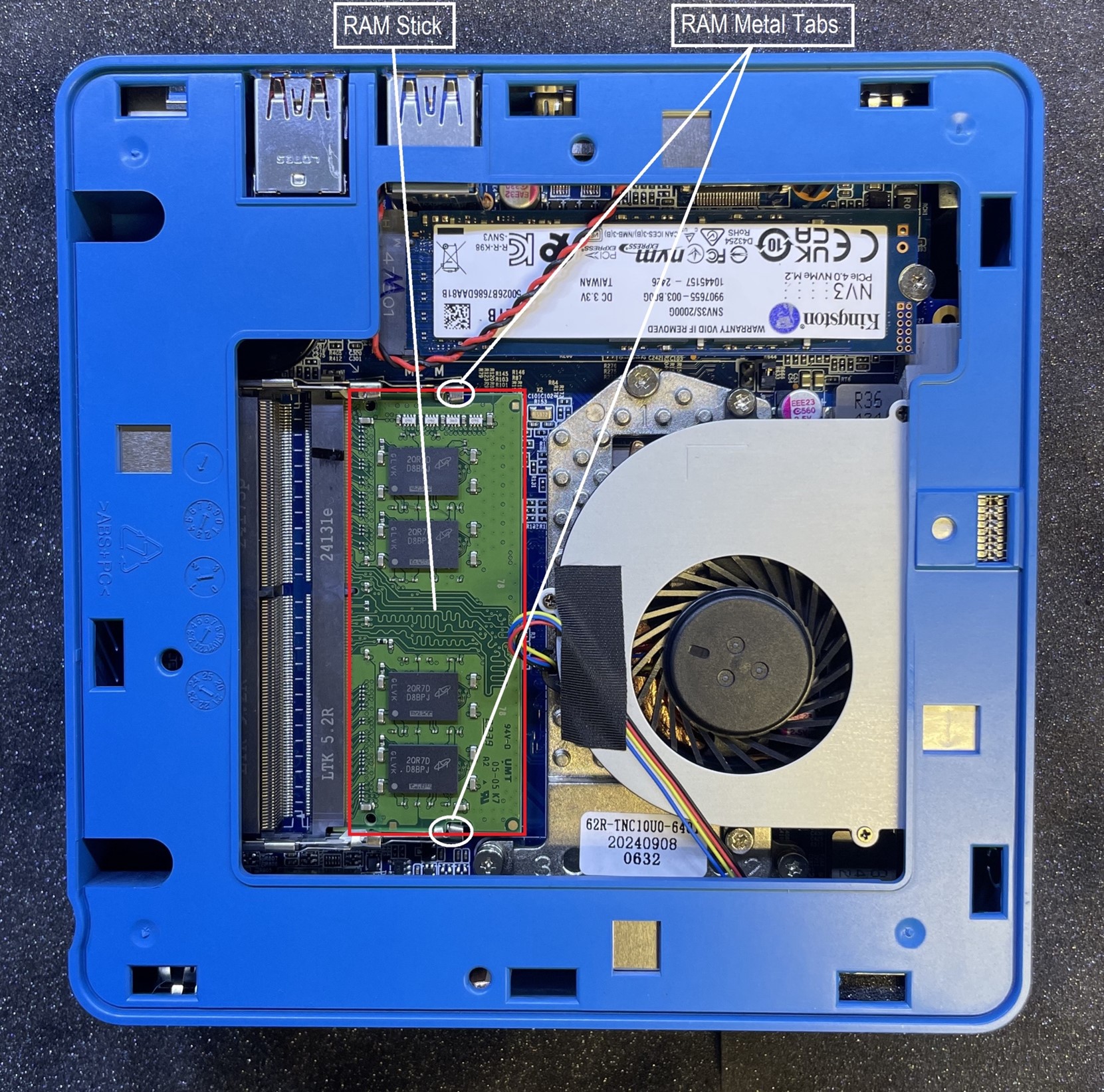
    RAM3.jpg

  1. Place the top plate, with proper orientation, back onto chassis.

  2. Re-Install the bottom plate, back onto the chassis and secure it with the two screws.

  3. Plug in and power on the device.

  • 0 Utilizadores acharam útil
Esta resposta foi útil?

Artigos Relacionados

Backup Verification Failure (boot error)

Connect to the server and run the following commands: sfc /scannow Dism /Online /Cleanup-Image...

Robocopy command

 robocopy [source] [destination] /mir /Z /W:5 /fft /R:3 /secfix /copyall exp: robocopy F: D:...

Streaming and Processing On cloud

To start, run the following commands on the machine itself. Once each of these commands is...

Input Output Error On C(I/O Error) on C Drive

  screenshots are now failing referencing a SeaBIOS screen. Additionally, the Datto device is...

Critical backup failure during data transfer (Agent Export error occurred mid transfer)

Run the below commands:(As an administrator: vssadmin Add ShadowStorage /For=C: /On=C:...
